One tap a day
Tap a petal to record a bleeding day, and tap it again to take it back. Nothing you write here is final, and there is no form to fill in before the app is useful.
One tap a day
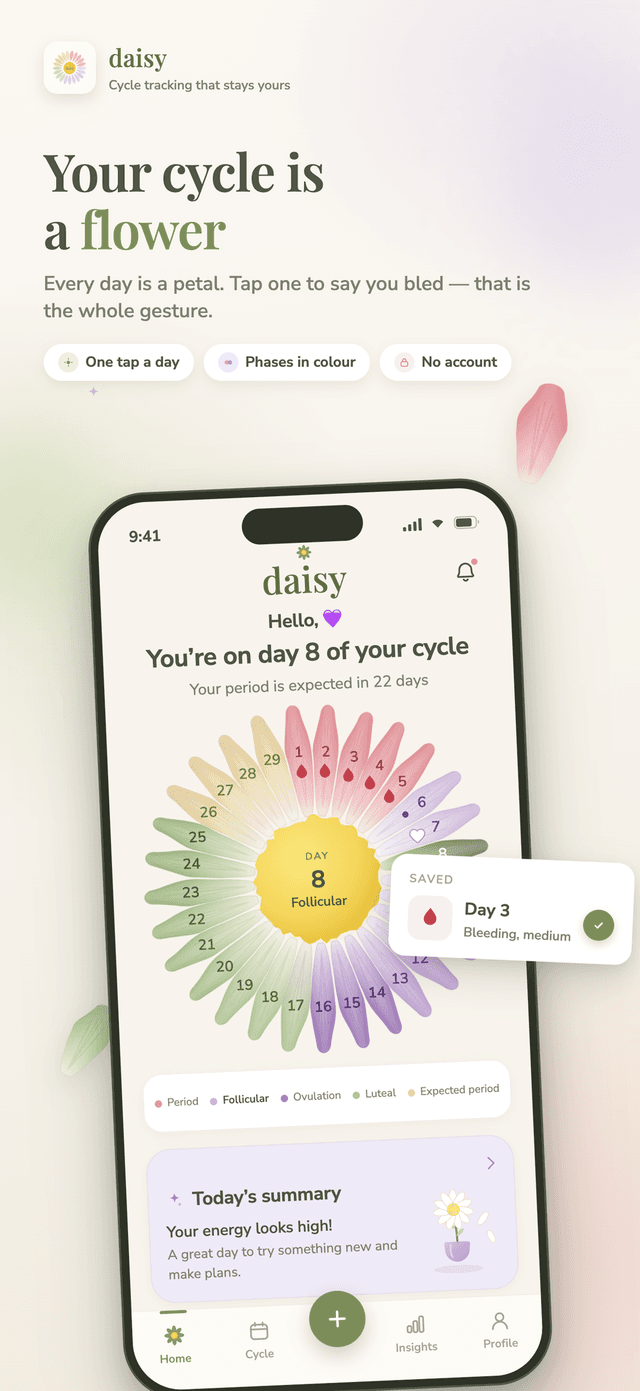
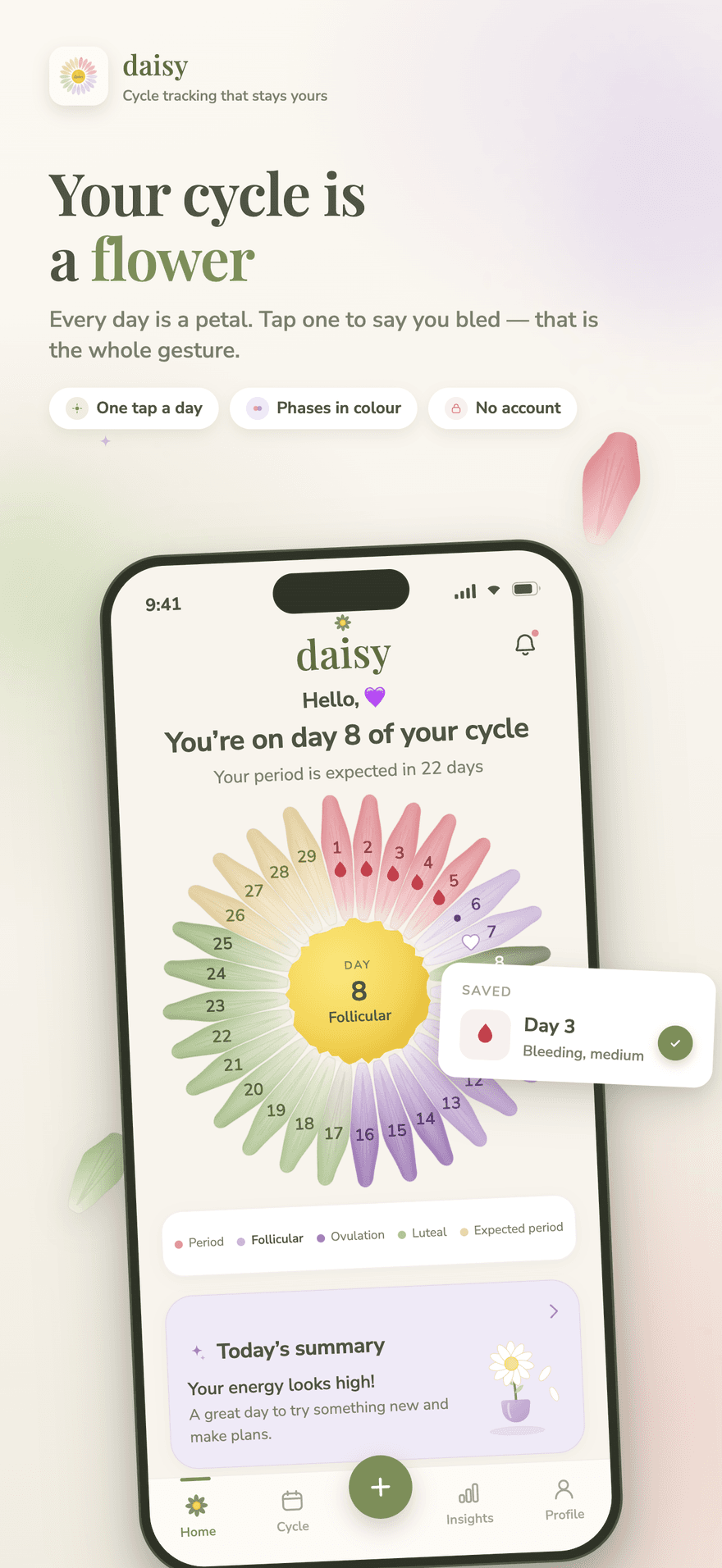
Every day of your cycle is a petal. Tap one to say you bled — that is the whole gesture. The flower keeps growing while the cycle runs on and starts again when your next period does, so a long or delayed cycle is never an error state.



Download
private ovulation calendar
Daisy is a period and menstrual cycle tracker with no calendar grid: every day of your cycle is a petal you tap. Predictions, phases, statistics and a doctor's summary stay on your phone, with no account to create.
Screenshots
Real screens from the App Store listing.
How it works
Daisy replaces the calendar grid with a flower you can read at a glance. Getting from an empty app to a cycle you understand takes four steps.
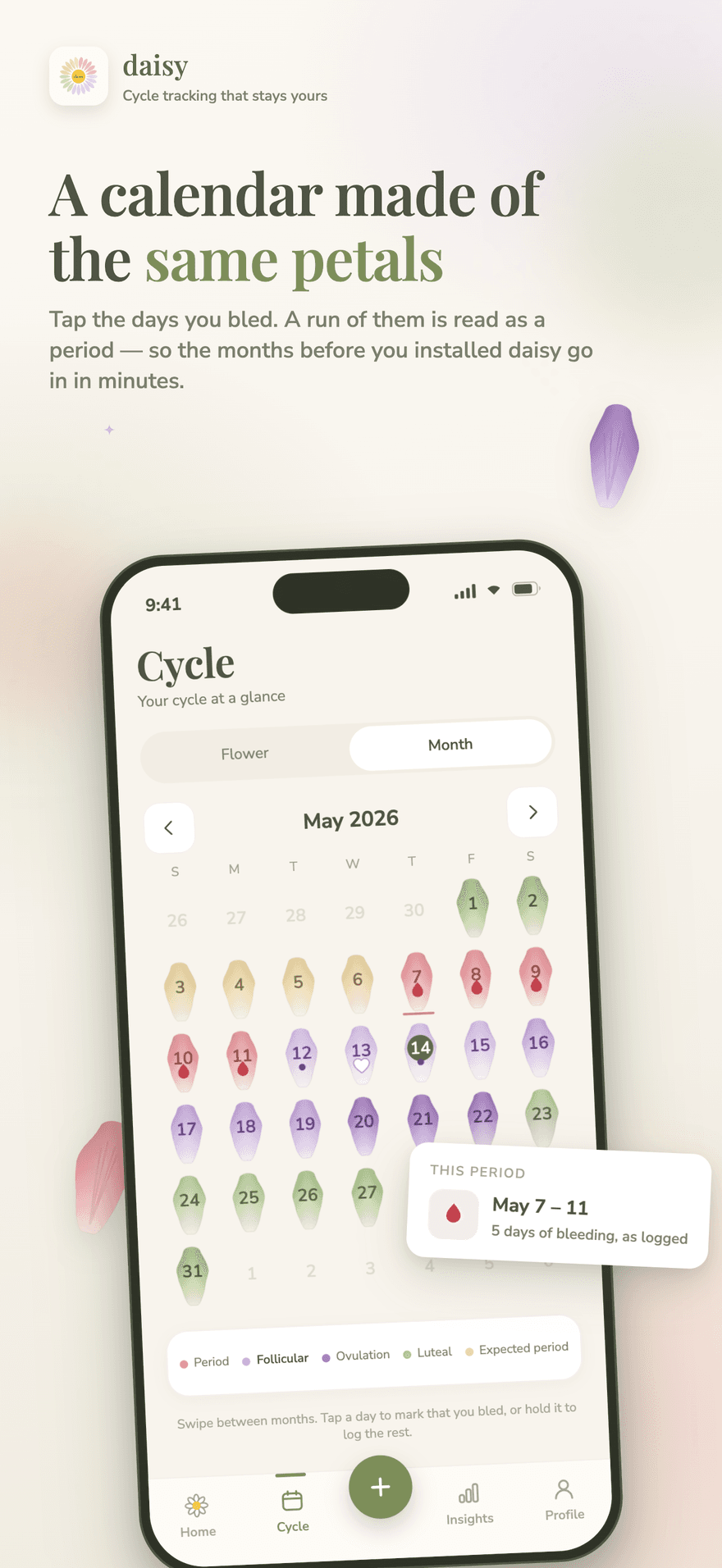
That single date is enough to draw your first flower. If you remember more, the month view lets you tap the days you bled and Daisy reads each run of them as a period — so the cycles from before you installed it go in within minutes.
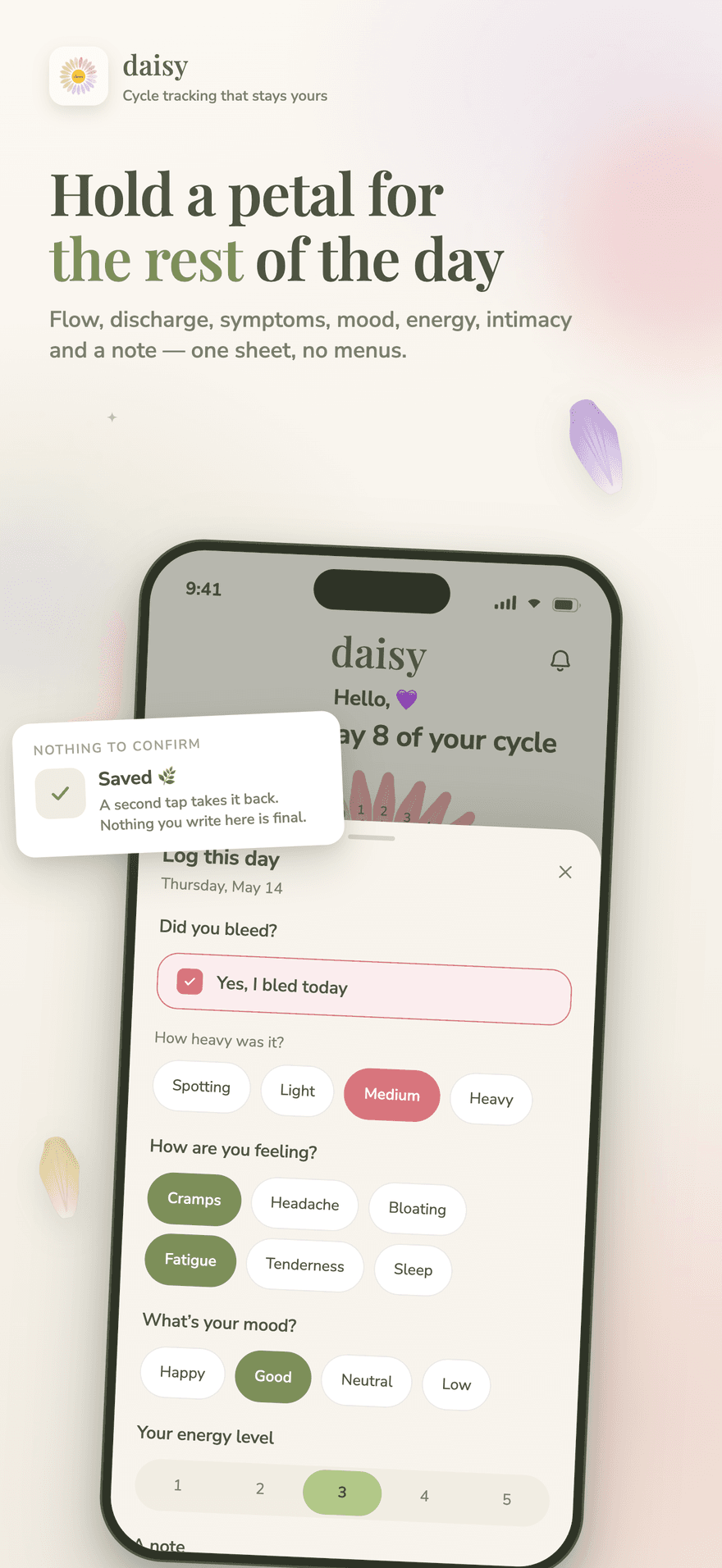
One tap records a bleeding day, and a second tap takes it back. Hold a petal to open the rest of the day: flow, discharge, symptoms, mood, energy, intimacy and a private note, all on one sheet with no menus to dig through.
The menstrual, follicular, ovulation and luteal phases are coloured on the petals themselves, your fertile window and expected period appear as a window rather than a single date pretending to be certain, and a delayed cycle simply keeps growing.
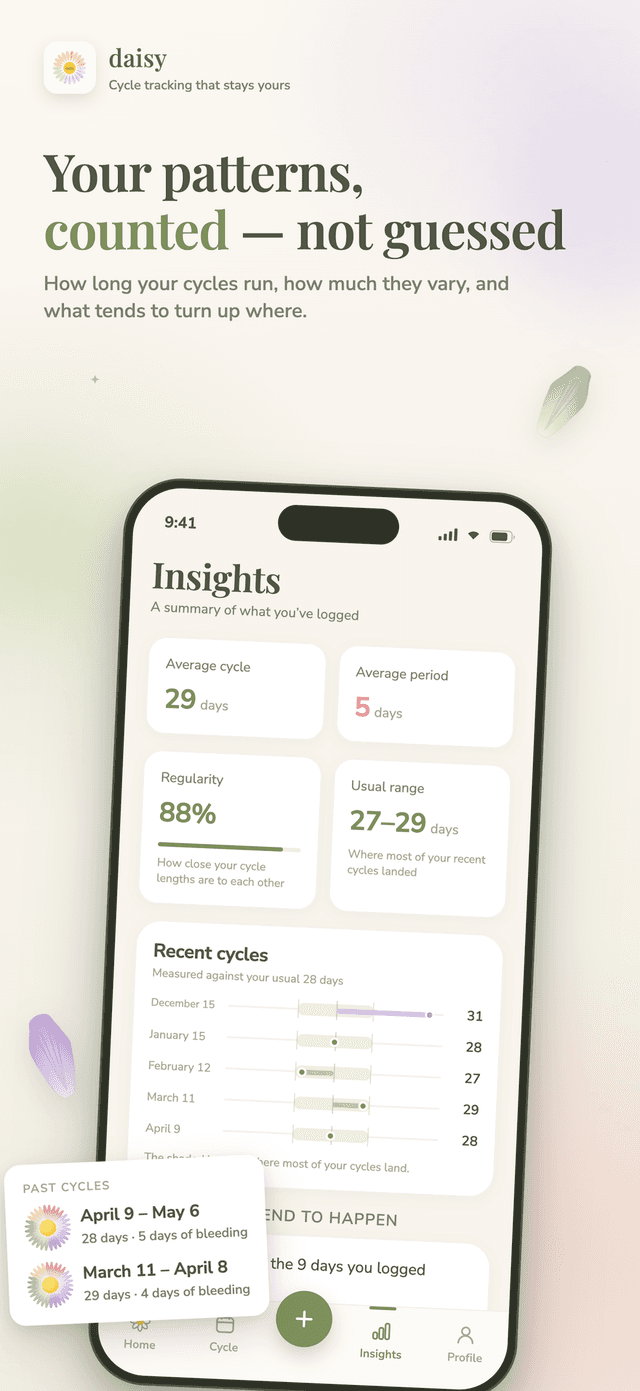
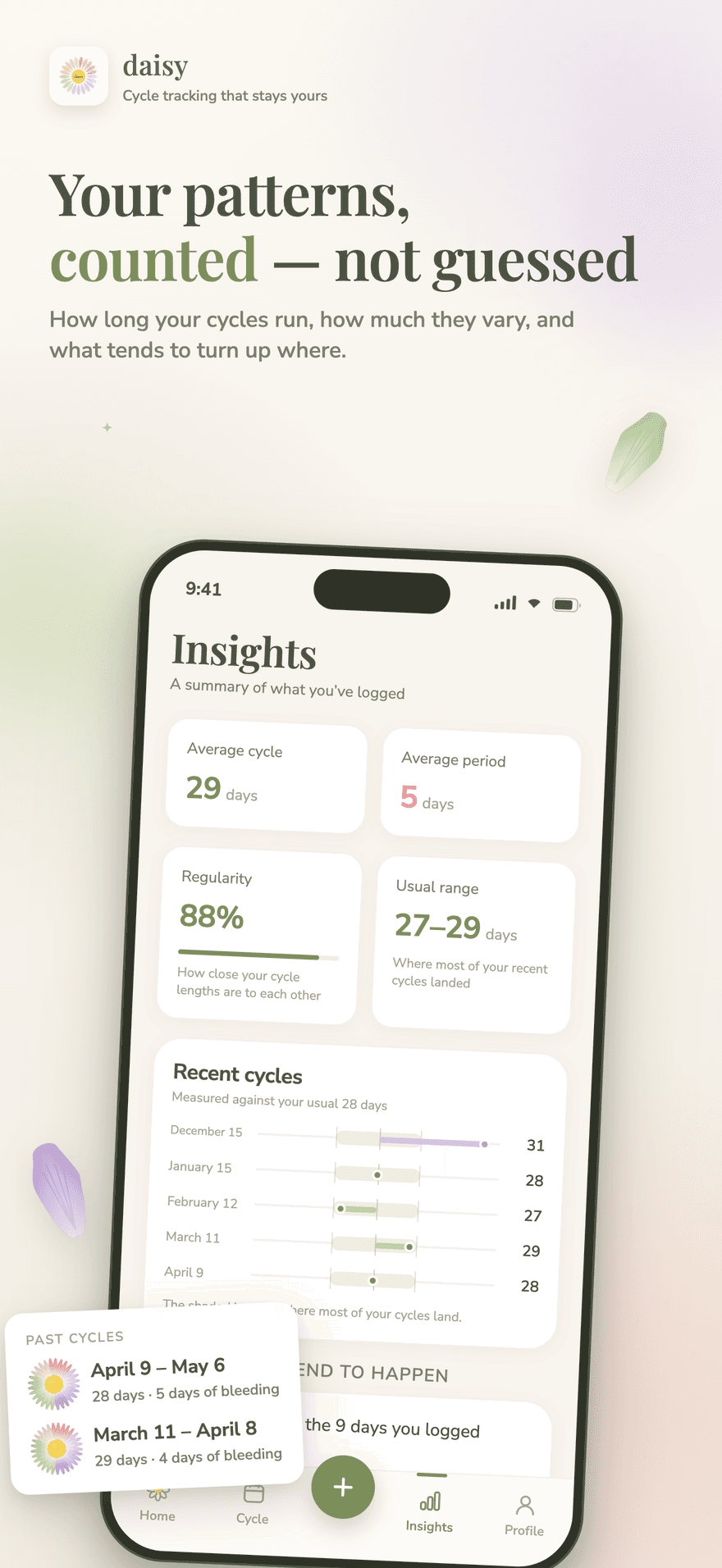
Statistics count your average cycle length, bleeding days, shortest and longest cycles, regularity and which symptoms tend to land in which phase. A PDF summary is there when you have an appointment — and it deliberately leaves out your notes and anything you logged about intimacy.
What it helps with
Daisy is a period and menstrual cycle tracker with no calendar grid: every day of your cycle is a petal you tap. Predictions, phases, statistics and a doctor's summary stay on your phone, with no account to create.
Tap a petal to record a bleeding day, and tap it again to take it back. Nothing you write here is final, and there is no form to fill in before the app is useful.
Hold a petal for flow, discharge, symptoms, mood, energy, intimacy and a private note — one sheet, no menus. Add symptoms in your own words, and hide the ones you never use.
Menstrual, follicular, ovulation and luteal are coloured on the petals themselves, so the shape of your cycle is readable at a glance instead of buried in a legend.
Your next period and fertile window appear as a range rather than a single date pretending to be certain, and one thing worth knowing each day — a nudge, never a prescription.
Average cycle length, average bleeding days, shortest, longest, regularity and your usual range, plus which symptoms tend to turn up in which phase, counted from your own entries.
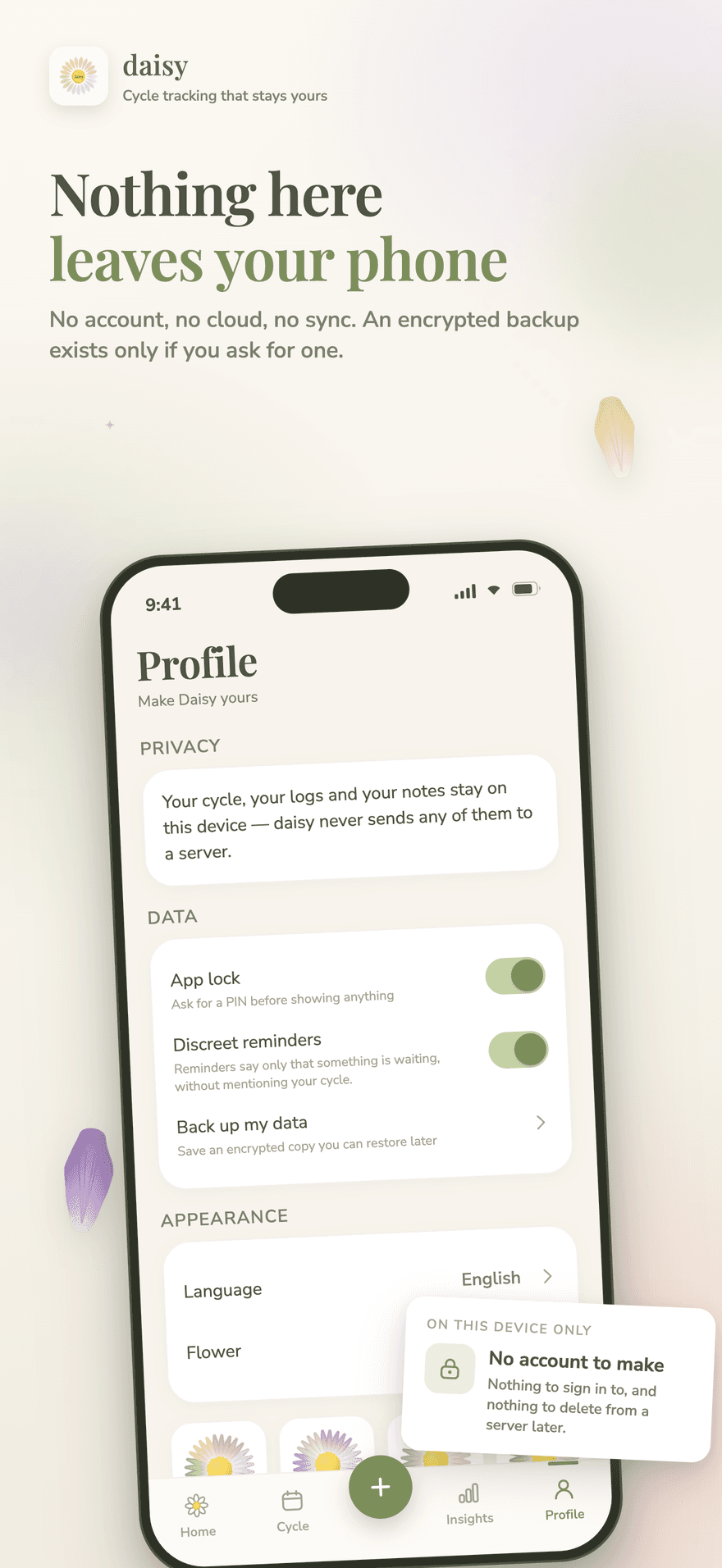
No account, no cloud sync, nothing to delete from a server later. An encrypted backup exists only if you ask for one, and the app can be locked with a PIN or Face ID.
Why it matters
Past the predicted length your cycle does not end. Each further day adds a softer petal, the app says your cycle is still going, and nothing suggests something is medically wrong. Cycles vary; an app that treats variation as a fault is telling you something untrue about your own body.
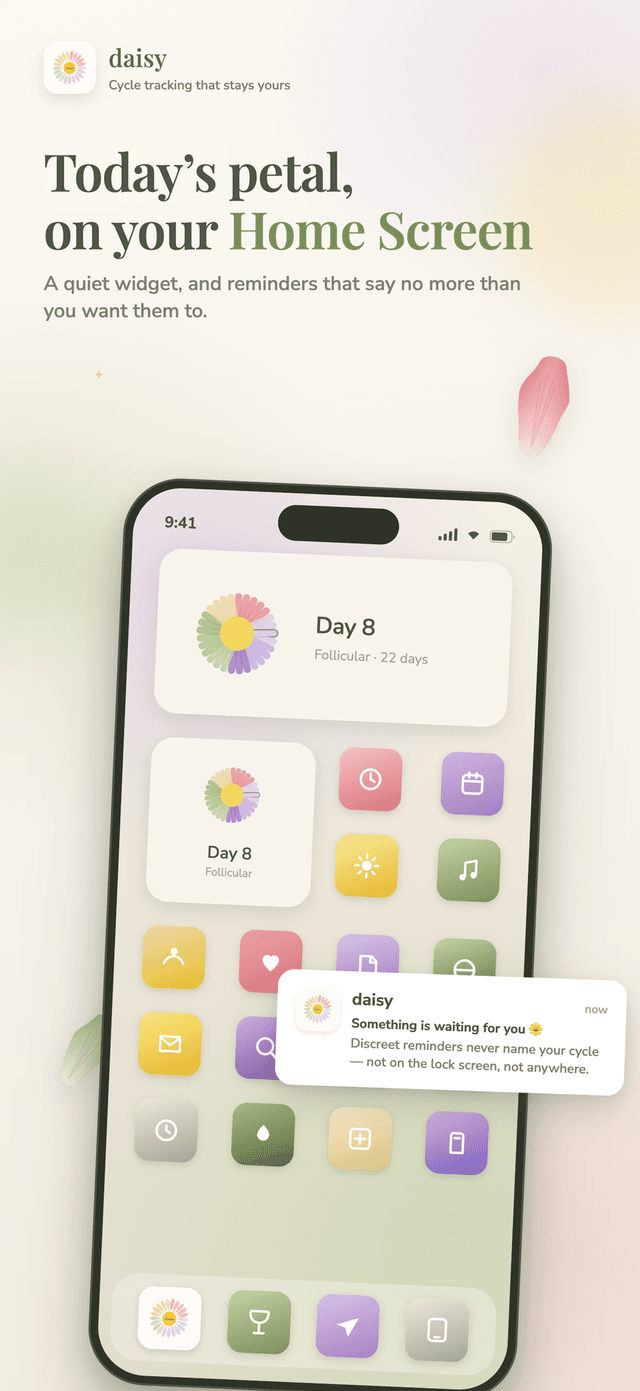
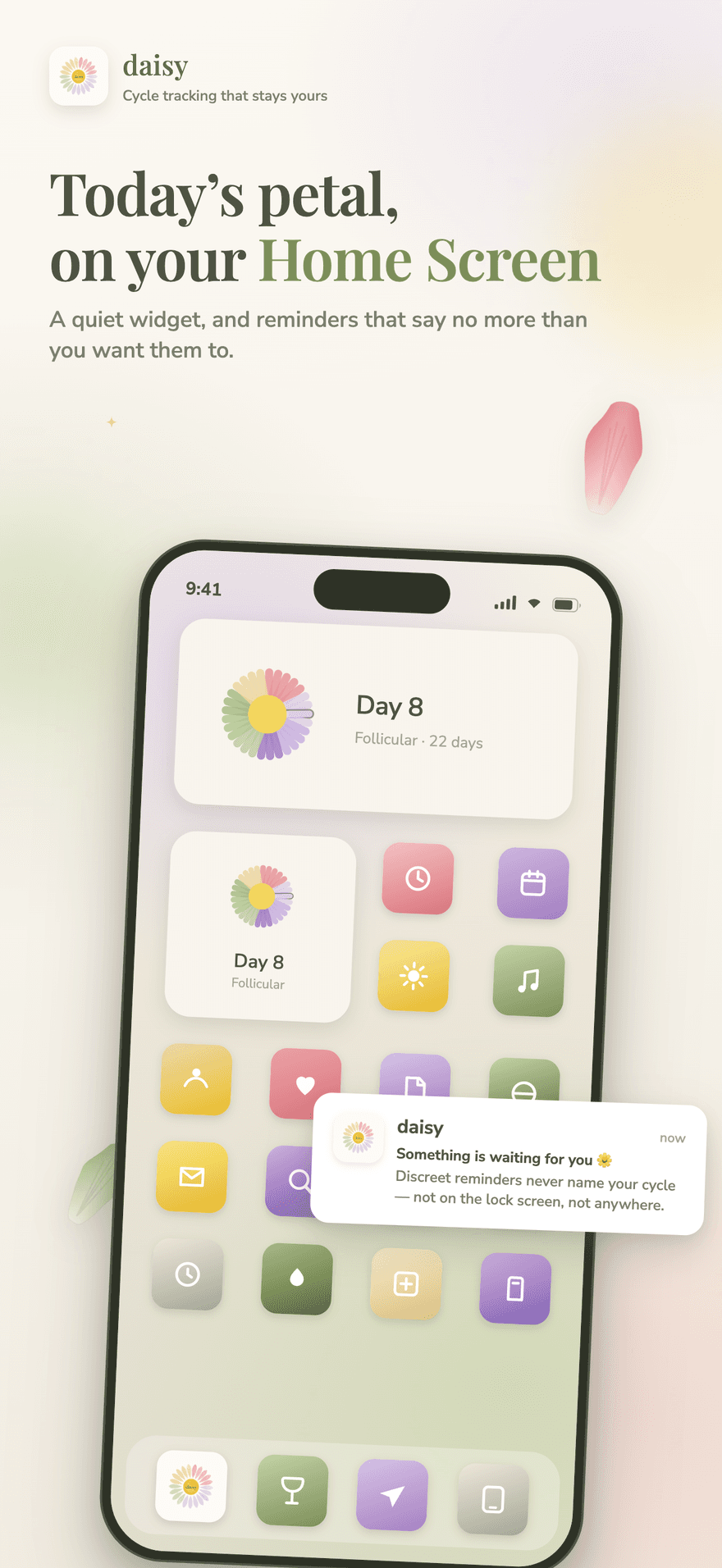
Discreet reminders are on by default: every notification is titled just "daisy" and its body says only that something is waiting. The Home Screen widget follows the same rule, and a daily medication can ring without anything on your phone naming what you take.
What Daisy is
Daisy is a menstrual cycle tracker for iOS and Android. It records the days you bleed and whatever you choose to log alongside them, draws the current cycle as a flower rather than a calendar grid, estimates your next period and fertile window as a window, and counts your own statistics — all without an account and without sending your cycle to a server.
One date starts everything. From the first day of your last period Daisy draws a flower, one petal per day, and every tap after that refines what it knows.
Enough to be useful at an appointment, and nothing you are forced to fill in. Every field is optional, and custom symptoms let you use your own words.
Reproductive health is not something to hand over casually. Daisy has no account, no server-side profile and no automatic sync — and it is specific about the small amount of data that does leave the device.
FAQ
No. There is nothing to sign up for and nothing to sign in to, so there is also nothing to delete from a server later. Your cycles, logs and notes are stored on this phone and Daisy never sends any of them to a server.
Because a grid asks you to fill it in. Daisy's home screen is a single flower: each day of the current cycle is a petal, coloured by its phase, and tapping one records a bleeding day. There is still a month view — made of the same petals — but it exists for entering past cycles, not for daily use.
Free, every day and for good: recording a bleeding day, how heavy it was, the discharge you saw and a note in your own words — plus the cycle you are in, your next period, your phases, your statistics, the patterns Daisy finds, backup and restore, the app lock, discreet reminders, medication and appointments, sharing and your whole history. Premium adds the rest of the day sheet — symptoms, mood, energy and intimacy, and symptoms you name yourself — the months beyond your next cycle, letting Daisy follow a pattern instead of only showing it, the full-year appointment PDF instead of three months, your year read as a whole, and every flower. It is a yearly subscription or a one-off lifetime purchase. Nothing you have already written is ever hidden, narrowed or deleted: a gate is asked before something new is added, never before what you wrote is drawn, so a day you filled in while you had Premium keeps showing all of it if the subscription ends.
They are estimates counted from what you have entered, and Daisy shows them as a window rather than a single certain date. The expected period covers the last few days of the predicted cycle, and the fertile window is an estimate — Daisy has no basal body temperature or LH input, and it is not a form of contraception.
Nothing breaks. Past the predicted length the cycle does not end: each further day adds a softer petal, the copy says your cycle is still going, and nothing in the app suggests something is medically wrong. Irregular cycles are the normal case here, not an error state.
Discreet reminders are on by default. Every notification is titled just "daisy" and the body says only that something is waiting for you — never what it is about. The Home Screen widget follows the same setting, and medication reminders can be left unnamed so nothing on your phone names what you take.
Your cycle, logs and notes never leave the device. Daisy does send anonymous usage counts — how far people get in the app — so we can tell which adverts are worth paying for; your cycle is never part of that, and there are no ads inside the app. Purchases go through the store, and the paywall never sees health data.
Yes, through a backup you ask for. Daisy writes an encrypted backup file wherever you choose to put it, protected by a passphrase that is not stored anywhere — if you forget it, the backup cannot be opened by you or by us. Restoring replaces everything currently on the phone.
Get started
Daisy is a period and menstrual cycle tracker with no calendar grid: every day of your cycle is a petal you tap. Predictions, phases, statistics and a doctor's summary stay on your phone, with no account to create.